
+100 attendees
Adds another 100 guest slots on top of your current quota.
3 000 CZK
Built for the door rush
Door check-in, registration, ticket sales and guest emails in one tool. Any phone becomes a scanner — no app installs.
Check-in
Any phone becomes a scanner in under a minute. Every device sees every check-in the moment it happens — the door team, the producer backstage, and the guest’s own ticket.
Anna Nováková
Awaiting
Tickets & registration
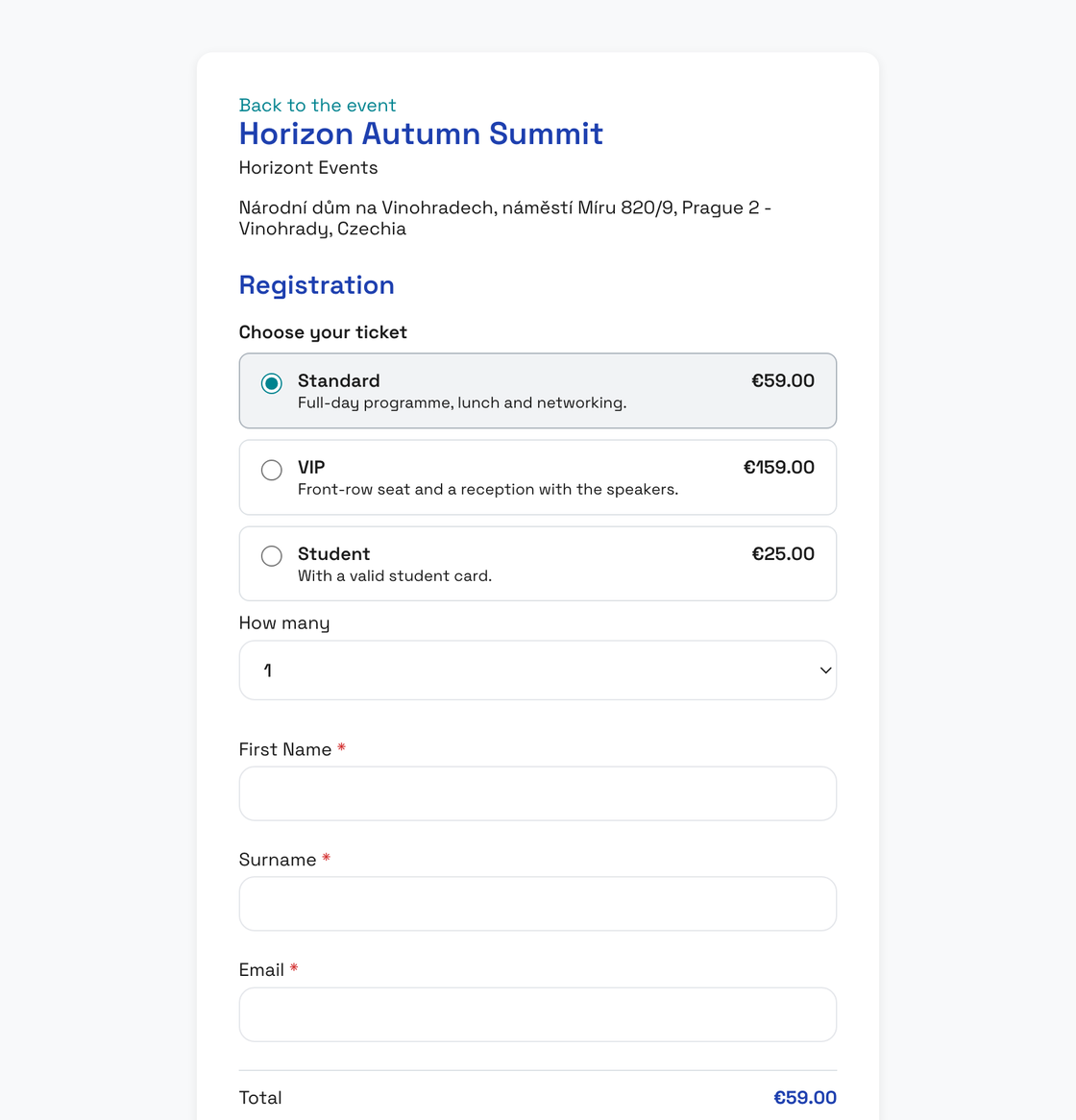
Registration and ticket sales run on your event page. The money goes to your Stripe account, and paid guests land on your list with their own QR code.
Guests & emails
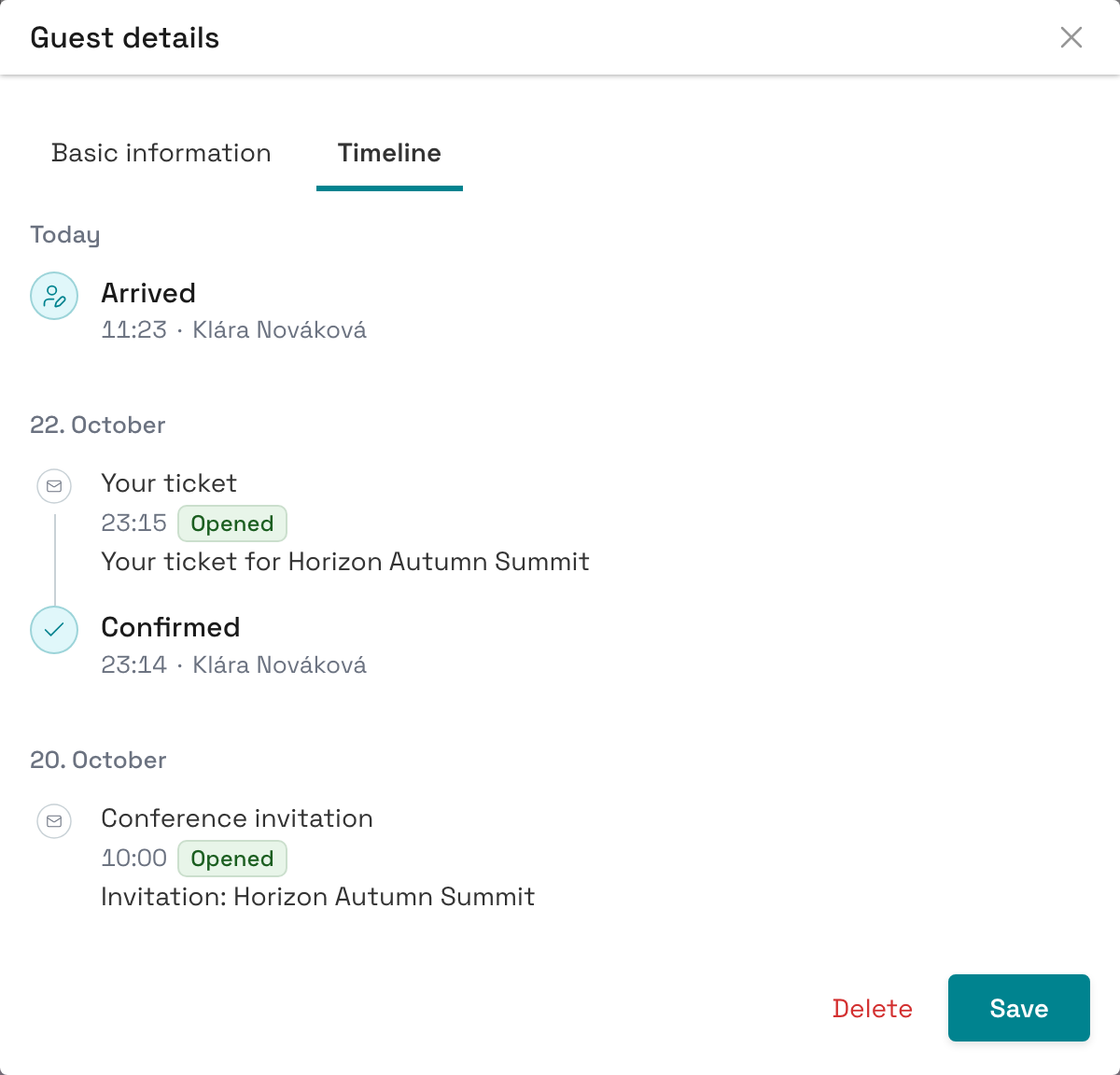
Upload the list you already have, send the invitations, and follow what happens with every guest — from their first reply to the moment they walk in.
No subscriptions
Pay once per event you actually run. Drafts stay free forever, no auto-renewal, no per-seat tier creep.
EU-only hosting
The application and your guest data stay in the EU.
Zero ticket commission
You sell tickets through your own Stripe account. The money goes straight to you, and EntryLog takes none of it.
Own your branding
Your event page on your own domain. Emails from your own address. The guest’s mobile ticket in your colours, with your logo.
Pricing
Pay per event you actually run. Build as many drafts as you want — free forever. Pricing scales with guest count — never with devices, scanners, manager seats or entrances.
Adds another 100 guest slots on top of your current quota.
3 000 CZK
Branded PDF tickets with your logo, colours and QR code. Ideal for corporate, VIP and partners.
2 000 CZK
Visualise arrival peaks, attendance timeline and entrance usage. Helps with crowd management.
5 000 CZK
EntryLog is built and supported by exactly two humans. No revolving door of support agents, no tickets getting passed around. The person who answers your email is the same person who wrote the code.

Founder · Engineering
Designs the system, writes the code, ships the features. The person on the other side of every "I broke something" email at 6pm before an event.

Founder · Finance & Support
Runs invoicing, contracts and customer success. Makes sure organisers always know what's happening with their account, their event and their data.
Check-in needs an internet connection, but it doesn’t have to be the venue Wi-Fi. Mobile data or someone’s hotspot will do. When a phone loses its connection, Scout says so straight away, so nobody scans blind. The guest’s ticket still shows offline.
No. They open a link in any phone browser and start scanning. Add as many phones as you want — there’s no per-device fee. Most teams are scanning within a minute of getting the link.
You activate (and pay for) each event when you’re ready to run it. Drafts stay free forever, so you can clone last week’s setup, change the date, and only pay when you flip "Activate". For high-frequency organisers we’ll quote a custom rate — drop us an email.
No. You sell tickets through your own Stripe account and the money goes straight to you. You only pay to activate the event; Stripe charges its own card fee. More on the Tickets & registration page.
No. Upload a CSV, XLS, XLSX or ODS file, or paste the table straight from the clipboard, and match the columns to your event’s fields. Importing sends guests nothing — you send the invitations when you are ready.
Primary storage for your guest list is in the EU, with backups in Cloudflare R2’s EU region. Full details and our processing register live in the Privacy Policy.
No. Each guest gets a private link. They open it in their phone browser, see the QR, and tap "Add to home screen" if they want it next to their other apps. No app store, no account, no password.
Yes. Attendee lists and event statistics export as CSV or PDF in one click. There’s no lock-in clause and no proprietary format — your data is yours.
Step-by-step guides are in the help centre